
Run the Sound Check the Service Will Actually Need
Backing Track Guides
By Spiritrax Content Studio · August 31, 2026
Updated August 31, 2026
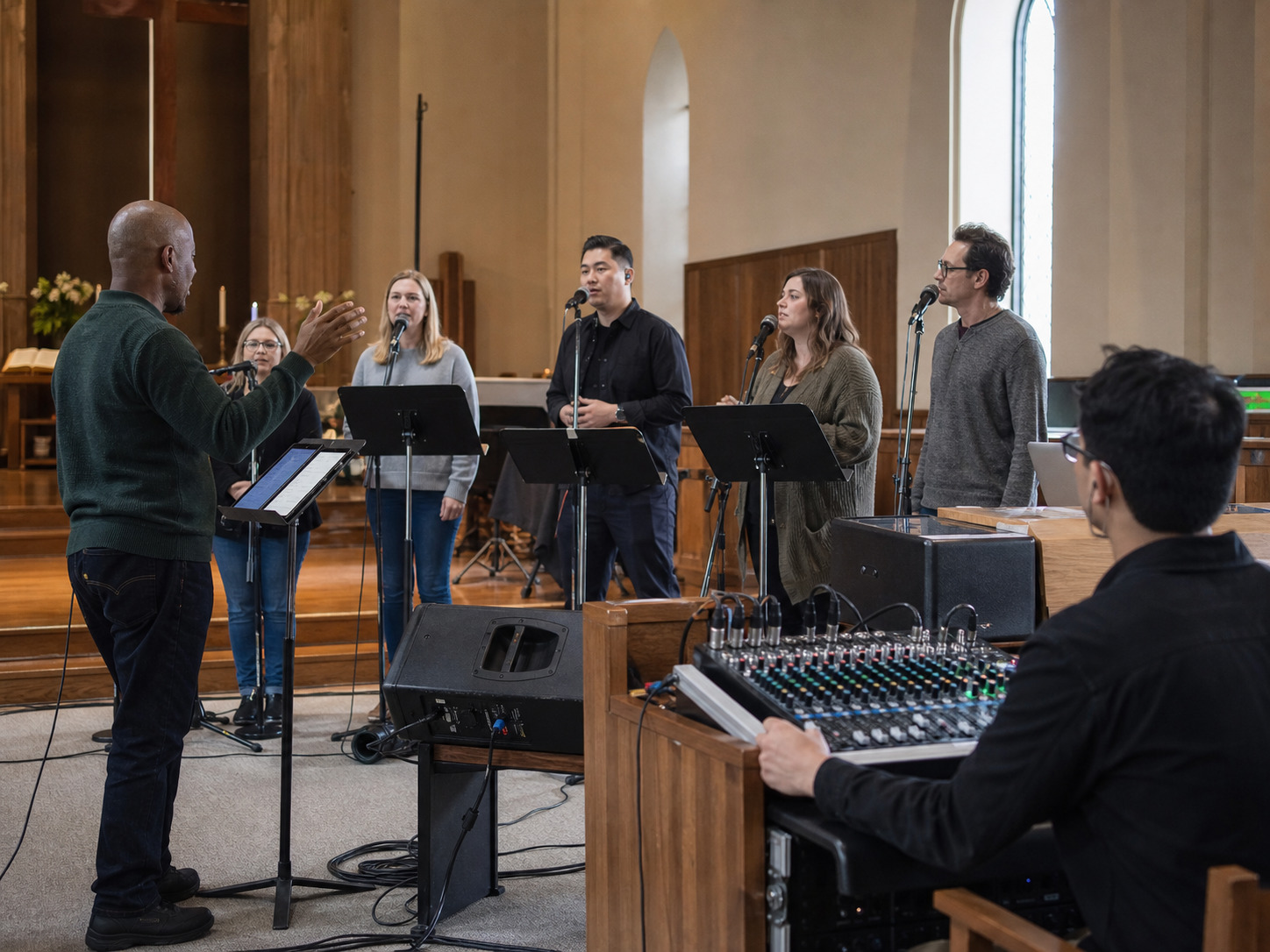
The short answer: a church sound check should prove the exact entrances, keys, microphones, backing-track cues, and handoffs the service will use. Testing only the volume does not tell a soloist when to begin, help a volunteer find the right file, or show whether the congregation can hear the melody without being overwhelmed.
Keep the check calm and repeatable. One short pass through the real signal path is more useful than a long rehearsal that never tests the moments most likely to cause uncertainty.
Prepare the service files before anyone reaches the sanctuary
Sound check is not the best time to decide which arrangement, key, or verse plan is final. Give the worship leader and sound volunteer one approved list before the service.
For every backing track, include:
- service position;
- song title and exact filename;
- key;
- accompaniment or guide-vocal status;
- singer, choir, or congregational leader;
- length of the introduction;
- first sung word;
- verse, repeat, cut, and ending plan;
- who gives the playback cue.
Keep guide vocals out of the live playlist. They are valuable for rehearsal, but the sound operator should not have to distinguish a demonstration file from the performance track while the service is moving.
Check the first entrance before the full song
The most useful first test is often the first 20 or 30 seconds.
Start the exact performance track. Let the singer hear the introduction. Confirm the first sung word and whether the entrance feels supported rather than rushed. If a choir joins later, test that entrance too.
This short check can reveal several problems quickly:
- the wrong key or arrangement is loaded;
- the introduction is shorter than the singer expects;
- a counted lead-in is missing or hard to hear;
- the monitor does not carry enough pitch or rhythm;
- the microphone is not live when the singing begins;
- the playback cue happens before the leader is ready.
Fix the cause rather than asking the singer to “come in stronger.” Confidence begins with a clear musical setup.
Choose the key for today's singer and room
A familiar recording can make one key feel inevitable. It is not. The useful key is the one that lets the current soloist, choir, or congregation sing the whole song without bracing for the highest phrase or disappearing at the bottom.
Test the most demanding section, not only the opening verse. Have the singer try the highest line, lowest line, and any sustained ending through the microphone. If the congregation will join, consider whether the melody sits where a mixed room can participate.
Spiritrax accompaniment is available across a range of uses, and many selections offer multiple keys. Browse worship backing tracks early enough to compare versions before the service team has memorized an uncomfortable one.
Build the monitor around the entrance
The singer does not always need the same mix the congregation hears.
Ask what the soloist or choir must hear to enter securely. That may be rhythm, a clear instrumental melody, a counted pickup, or simply enough track level to stay oriented. Add only what helps.
Then walk into the room. A monitor mix that feels useful near the microphone can make the house mix muddy or unusually loud. Check both perspectives:
- near the singer or choir;
- from the center of the congregation;
- from a side section if the room is wide;
- near any place where a reader, pastor, or musician must speak over an intro or underscore.
The goal is not maximum volume. It is a clear relationship among voice, accompaniment, room, and service purpose.
Rehearse the cue between people
A backing-track start is a handoff. The worship leader may look to the sound operator. The pastor may finish a prayer. A reader may leave the lectern. The soloist may take one breath before beginning.
Name the trigger. Useful cues include:
- the worship leader's visible nod;
- a specific final word in the spoken introduction;
- the soloist arriving at the microphone and making eye contact;
- the choir director raising both hands;
- the slide operator reaching the song title and confirming readiness.
Avoid vague directions such as “start when it feels right.” A volunteer can execute a visible or audible cue. They cannot reliably guess another person's intention.
Run the handoff once from the moment before the music. The transition matters as much as the song.
Test the whole playback path
Use the same device, application, cable, mixer channel, speakers, and monitors planned for the service.
Before the check:
- Download the final files so playback does not depend on a live connection.
- Put the service order in one visible playlist or folder.
- Silence notifications, alarms, calls, updates, and sleep settings.
- Connect power rather than relying on an uncertain battery.
- Confirm the operator knows play, pause, stop, and next-cue behavior.
During the check, listen for obvious distortion, an accidental fade, missing channel, uneven left and right playback, or a level jump between songs. If the service uses several tracks, sample the quietest and fullest moments instead of playing every song from beginning to end.
Keep a second approved copy available on a separate device. A backup should be simple enough for the volunteer team to connect and use without searching personal accounts or rebuilding the playlist.
Give spoken moments their own space
Some services use an instrumental track under prayer, a reading, candle lighting, an offering, or Communion. These moments need a different sound-check question:
Can every word remain clear while the music supports the room?
Test the actual reader or speaker when possible. Begin with the track lower than you think it needs to be. If the arrangement grows, find that point before the service. Mark any fade, stop, or section change on the order.
For a flexible spoken moment, avoid choosing an arrangement with a strong build or fixed ending unless the timing is genuinely predictable. A quiet section, longer instrumental bed, or planned fade may serve the service better.
Keep the volunteer checklist visible
A one-page checklist reduces the number of things a sound volunteer must remember.
Before singers arrive
- Final device is powered and connected.
- Notifications and automatic updates are off.
- Approved performance playlist is open.
- Guide-vocal files are not in the live list.
- Mixer channel and output routing are confirmed.
- Backup device and cable are present.
With the singer or choir
- Track title and key are confirmed aloud.
- First entrance has been tested.
- Highest or most demanding phrase fits the singer.
- Microphone and monitor levels support a clear entrance.
- The visible or spoken start cue is understood.
- Ending, stop, fade, or next transition is marked.
Before the service begins
- First track is ready but not accidentally playing.
- Worship leader and sound operator can see each other or share a clear cue.
- Service order reflects any final approved change.
- Backup playback can reach the same mixer input.
FAQ: church sound checks with backing tracks
How long should a sound check take?
Long enough to test the parts that can change the service: the correct file and key, the first entrance, the hardest phrase, the cue, the microphone and monitor relationship, the ending, and the backup. A focused check can be short when the files and service order are prepared in advance.
Should we play every track all the way through?
Not usually. Sample each song's start, most demanding section, and ending. Run a full track when it is new, has an unusual structure, supports a flexible spoken moment, or has not been tested through the room's system.
What if the soloist needs a different key?
Stop and choose the key before the service team keeps rehearsing the wrong version. Rename or replace the final file clearly, remove the rejected version from the live playlist, and recheck the entrance and hardest phrase.
Can the worship leader operate the track too?
It can work in a very simple setting, but separate roles are often easier when the leader must sing, speak, watch the room, or cue other people. Whatever the staffing, make the start action and backup plan explicit.
What belongs in the backup?
The same approved performance files, in the same order, with the same clear names. Include the cable or adapter needed to reach the mixer and test one cue before the service.
Let the sound check serve the worship
A good sound check removes uncertainty without making the technology the center of attention. The singer knows the key and entrance. The volunteer knows the file and cue. Spoken moments remain clear. The room hears accompaniment that supports participation and reflection.
For a ready starting point, explore Spiritrax worship accompaniment sets, then prepare the final key, service order, cue, and backup early enough that everyone can enter the service calmly.
Start with professionally recorded worship accompaniment sets, then prepare the final key, service order, cue, first entrance, and backup for the people serving this week.
Explore Worship Accompaniment Sets